Instructions on how to quickly and easily create a chatbot for your Facebook fanpage.
Reading time: 7 minutes
In today’s increasingly modern world, the use of AI technologies to support work is essential. Among them, chatbots are indispensable tools, helping to save costs, time, and resources. They support increased revenue, create sustainable relationships with customers, and more. So, do you know how to create a free Facebook fanpage chatbot? If not, let’s explore it together in the article below.
Benefits of creating a Facebook Fanpage Chatbot
Chabots integrated with the Facebook social network support business operations and customer care, making them more automated and efficient. Not every store or brand always has staff monitoring the page to advise and care for customers. Therefore, chatbots are an automated customer care solution to replace employees.Reading time: 7 minutes
In today’s increasingly modern world, the use of AI technologies to support work is essential. Among them, chatbots are indispensable tools, helping to save costs, time, and resources. They support increased revenue, create sustainable relationships with customers, and more. So, do you know how to create a free Facebook fanpage chatbot? If not, let’s explore it together in the article below.
Benefits of creating a Facebook Fanpage Chatbot
Chabots integrated with the Facebook social network support business operations and customer care, making them more automated and efficient. Not every store or brand always has staff monitoring the page to advise and care for customers. Therefore, chatbots are an automated customer care solution to replace employees.
Vietnam’s Leading AI-powered Multi-Channel Virtual Call Center
Chatbots are computer software programs capable of interacting and communicating with users based on pre-set settings. Most chatbots are used through messaging applications to interact with humans.
Chatbots can provide automated customer service 24/7. They respond and advise customers faster than humans, saving costs. Stores and businesses may not need to hire many employees for customer service. Instead, you can use chatbots. Using chatbots will create a satisfying customer experience, as customers’ messages will be answered immediately. Marketing and employee costs will also be significantly reduced. This leads to slightly lower customer service costs.
Example: Every day, your store receives 50 messages from customers requesting advice. For each customer, an employee will confirm and advise for about a minute. Thus, you spend 250 minutes advising 40 customers. If your conversion rate is around 50%, you need to send more images and information to convince another 25 customers. Additionally, during promotional events, holidays, birthdays, etc., you also need to send congratulatory messages and announcements to customers.
Therefore, a chatbot will be a tool to help stores provide comprehensive, time-saving, and effective customer service.
Chatbots help respond to messages faster and provide the right information when customers want to message them. Pre-set chatbot message templates will provide a better user experience, making it easier to close deals and increase business efficiency. Using a chatbot is free and has no feature limitations. Users can set the operating time by the hour.
How Facebook chatbots work:
Chatbots are software that uses artificial intelligence technology to chat with humans via messages. Accordingly, the Facebook Messenger chatbot will automatically interact with users based on keywords you’ve previously set up for the system. Each chatbot is connected to the Facebook fan page via API to reply to customer messages or transfer them to live chat for the fan page administrator.
The mechanism of the Facebook chatbot can be understood as follows:
- When a user selects the “message” option, a chatbot will appear. Based on the information and keywords entered by the user, the system will translate it into programming language. It will then analyze the information and answer the customer’s question.
- If there is no data or the keywords don’t match, the Facebook chatbot will forward the question to a real customer service representative to answer the customer’s query.
Essentially, a chatbot acts like a fanpage administrator, providing advice and responding to customer comments. Therefore, learning how to create a chatbot will greatly benefit your fanpage business and sales.
Instructions on how to create a Facebook fanpage chatbot:
Step 1: Access the AhaChat website to create a free chatbot.
Step 2: Click on “Log in with Facebook”.
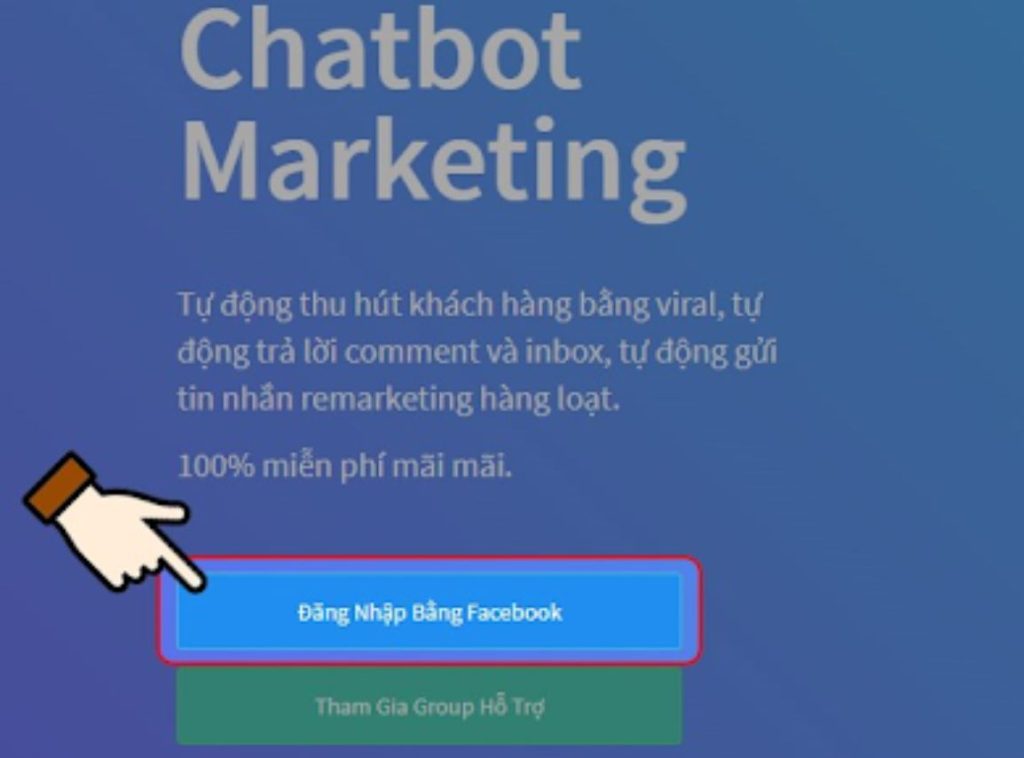
Log in to Facebook
Step 3: The system will access your personal Facebook account and ask you to click “Continue” under that name.
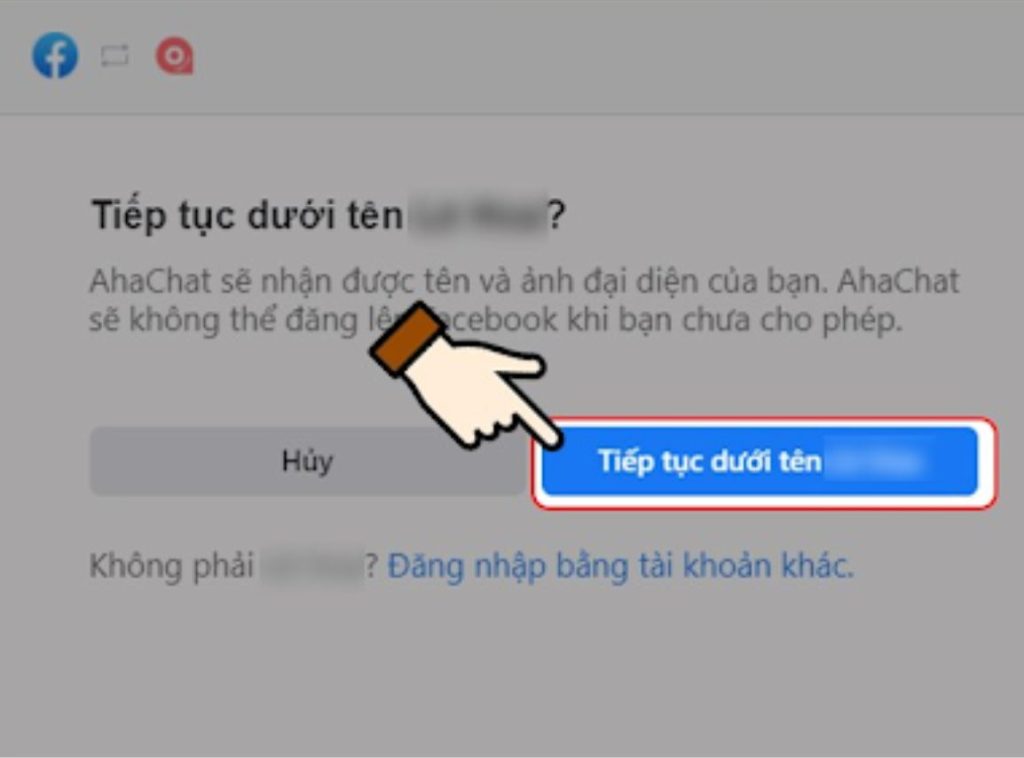
Go to your profile page, click continue.
Step 4: Select the page where you want to create the chatbot > Click Next.
Step 5: Agree to grant AhaChat permission to access your fanpage messages.
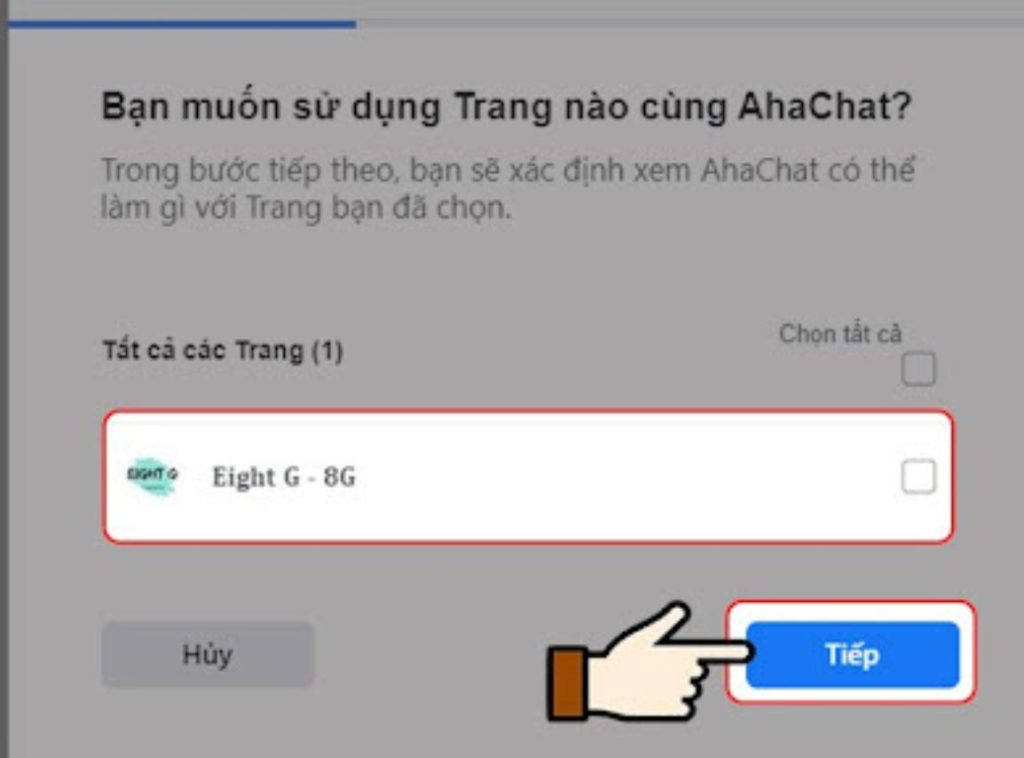
Grant permissions to Ahachat
Step 6: Click OK to return to the AhaChat website.
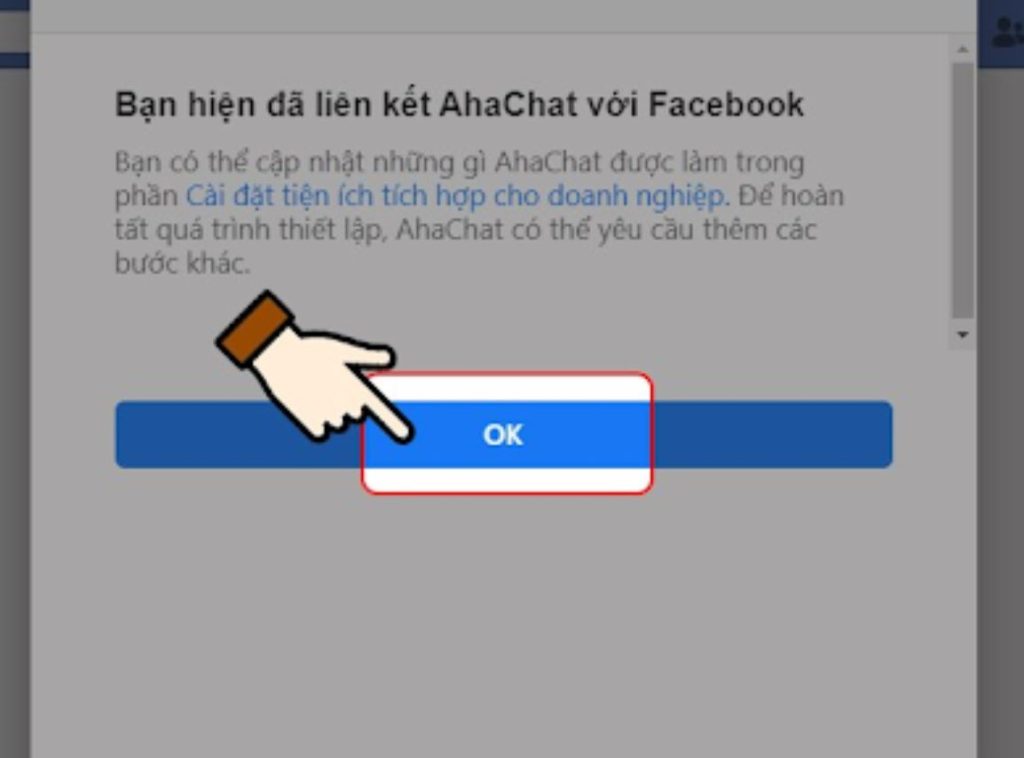
Press OK after granting permission.
Step 7: At this point, the system will ask you to fill in the fanpage’s area of activity and your personal phone number > Press Complete when you have finished filling in the information.
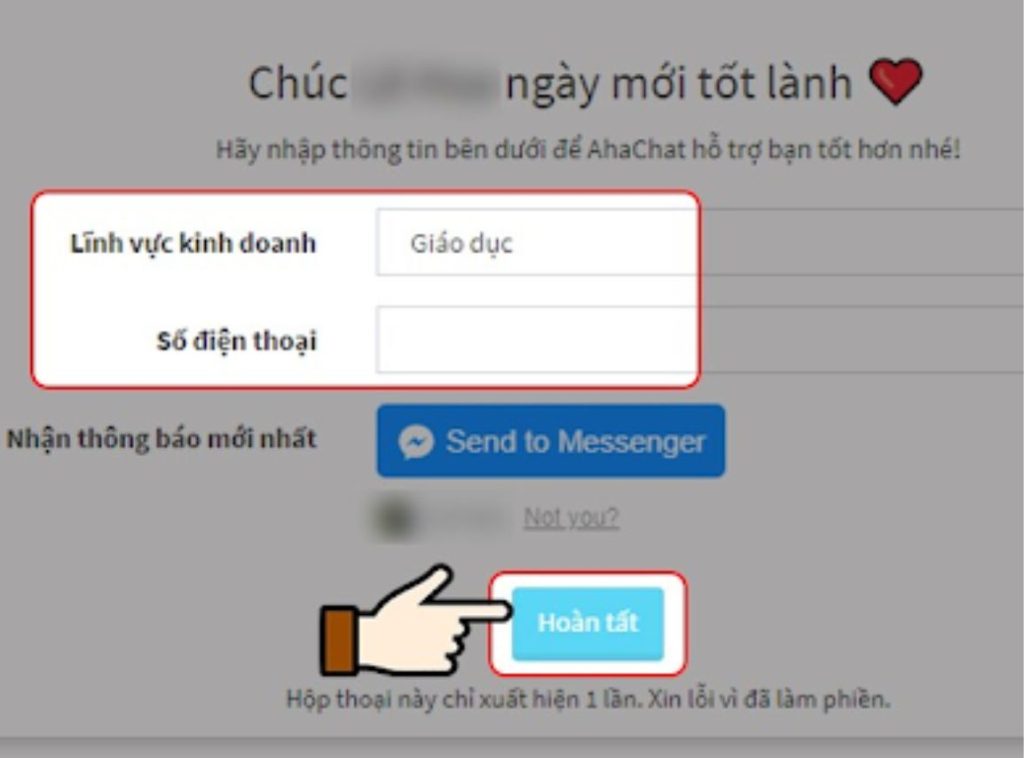
Fill in the information as instructed.
Step 8: Click on Create bot.
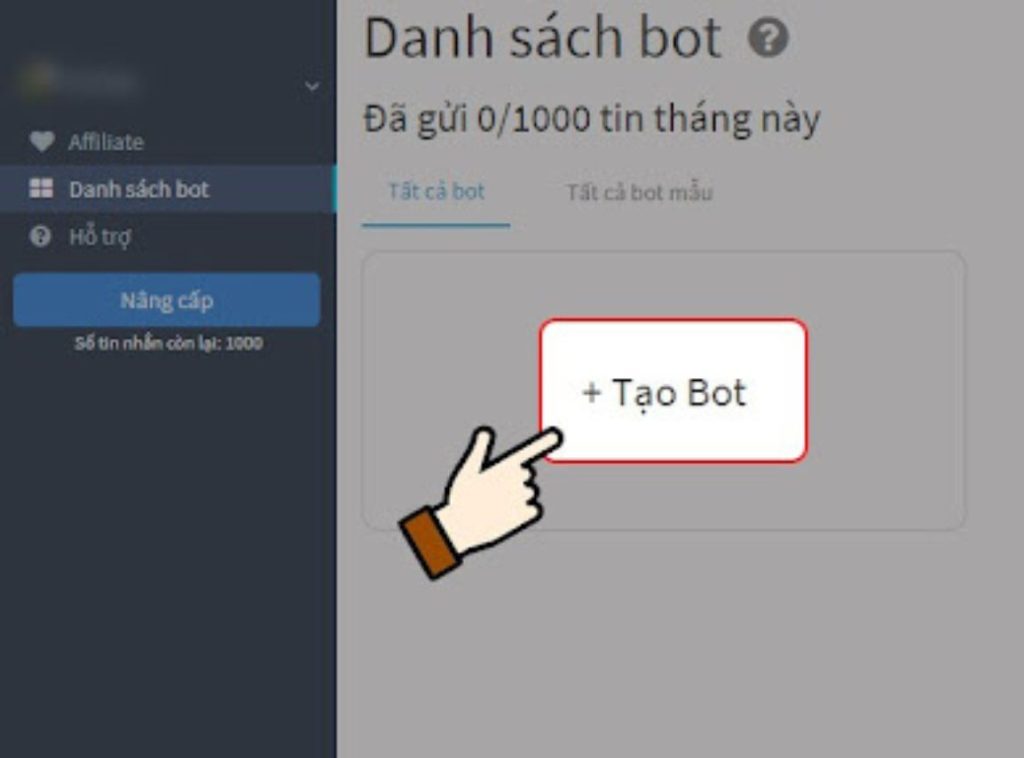
Proceed to create the Bot
Step 9: Select the fanpage you want to create a chatbot for > Choose a chatbot template > Click Create New.
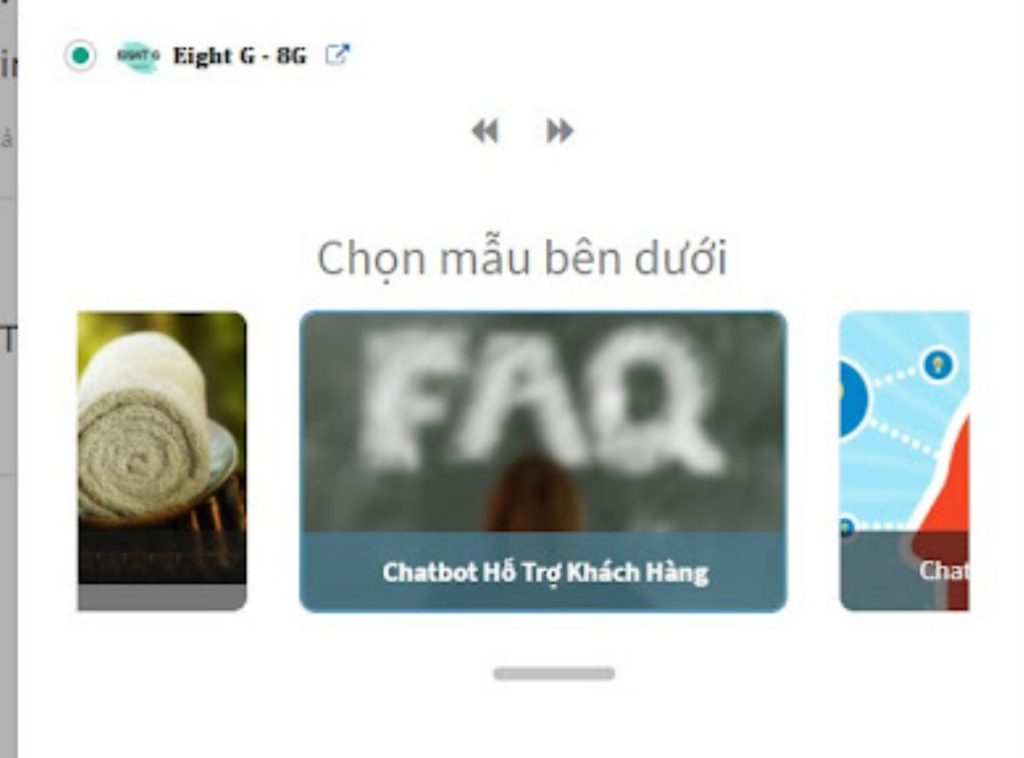
Click on the fanpage and choose a template.
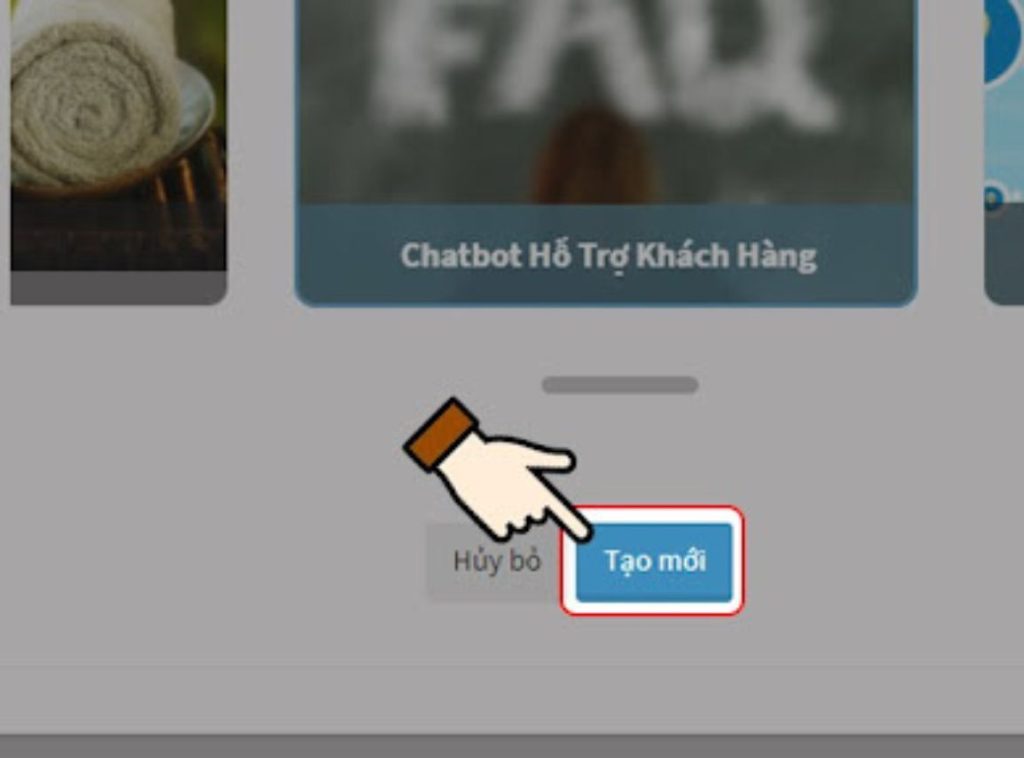
Create a new page
Step 10: Then, select the Automatic Reply option > Choose an automatic reply script for your fanpage.
- Welcome script: Automatically responds only to new customers who visit the page or click “Start”.
- Default script: Often used to inform customers to please wait or return later as there is currently no one online to answer their questions.
- Keyword script: This template is quite complex to use and is often used when you want to collect customer information.
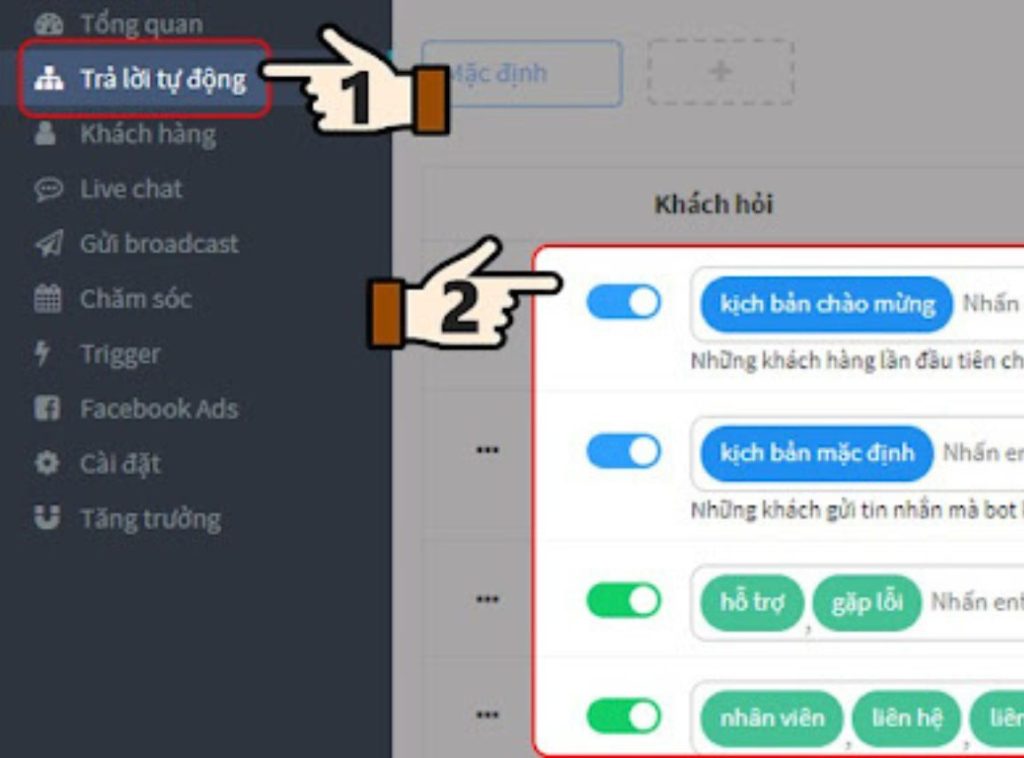
Tap on automatic reply and select a scenario.
Step 11: Tap on Create new block > Tap on Conversation.
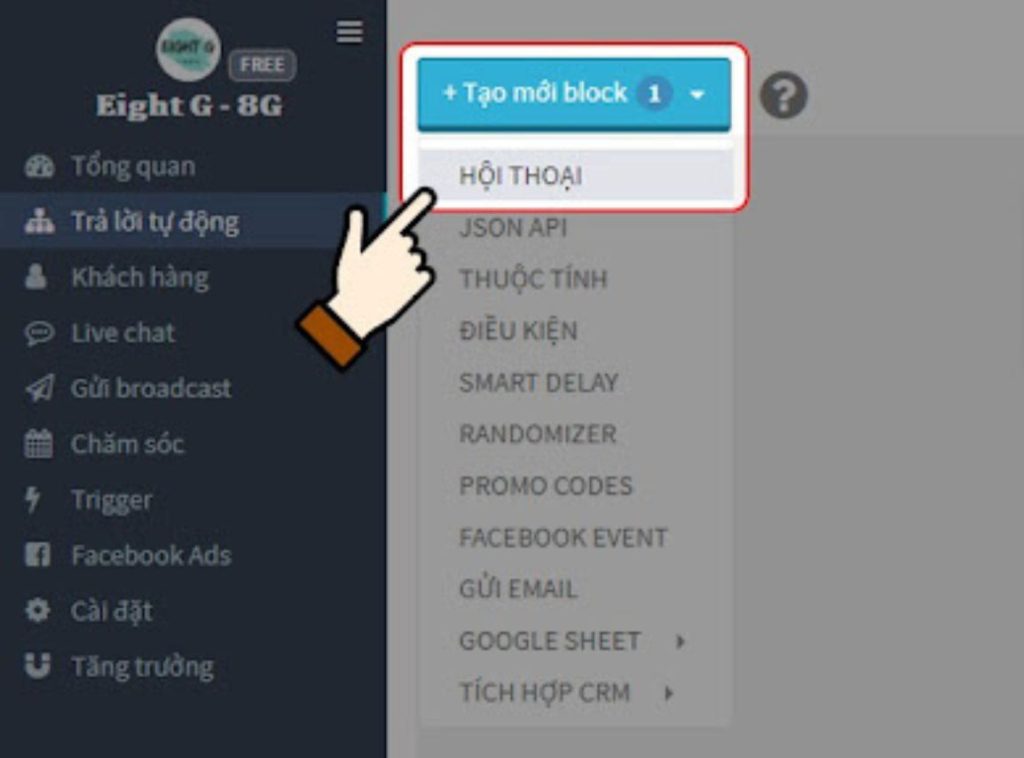
Click “Create New,” then select “Conversation.”
Step 12: Click on the newly created conversation box. Here, enter the name, the automated messages, and the accompanying conditions below.
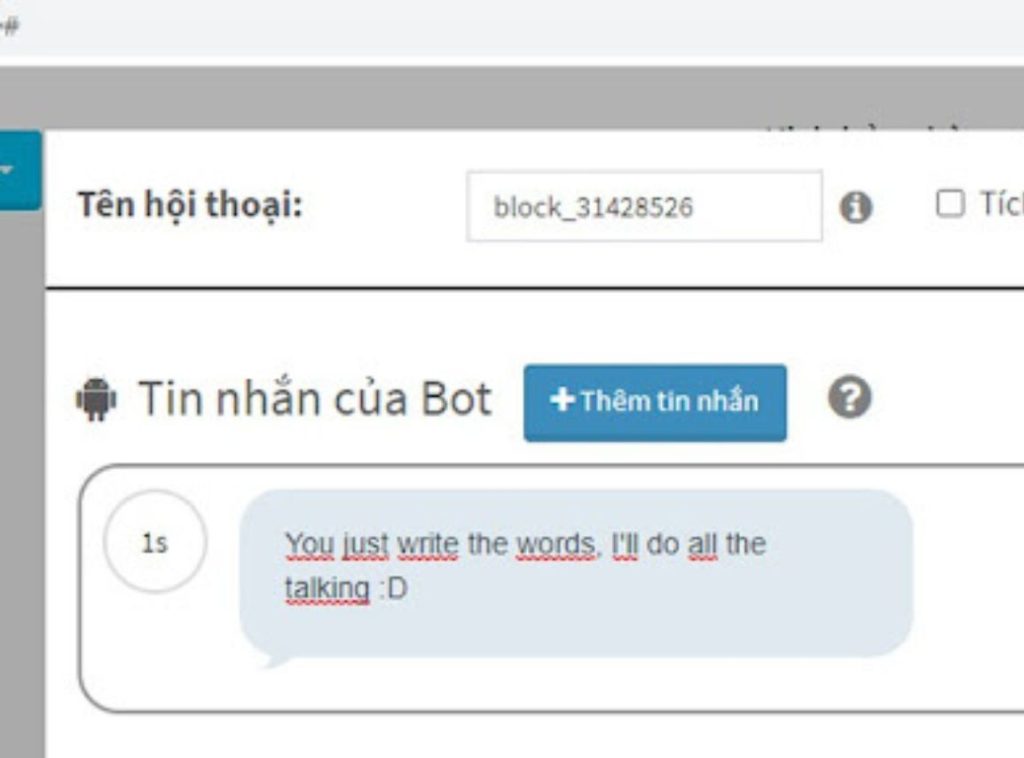
Set up automatic messages
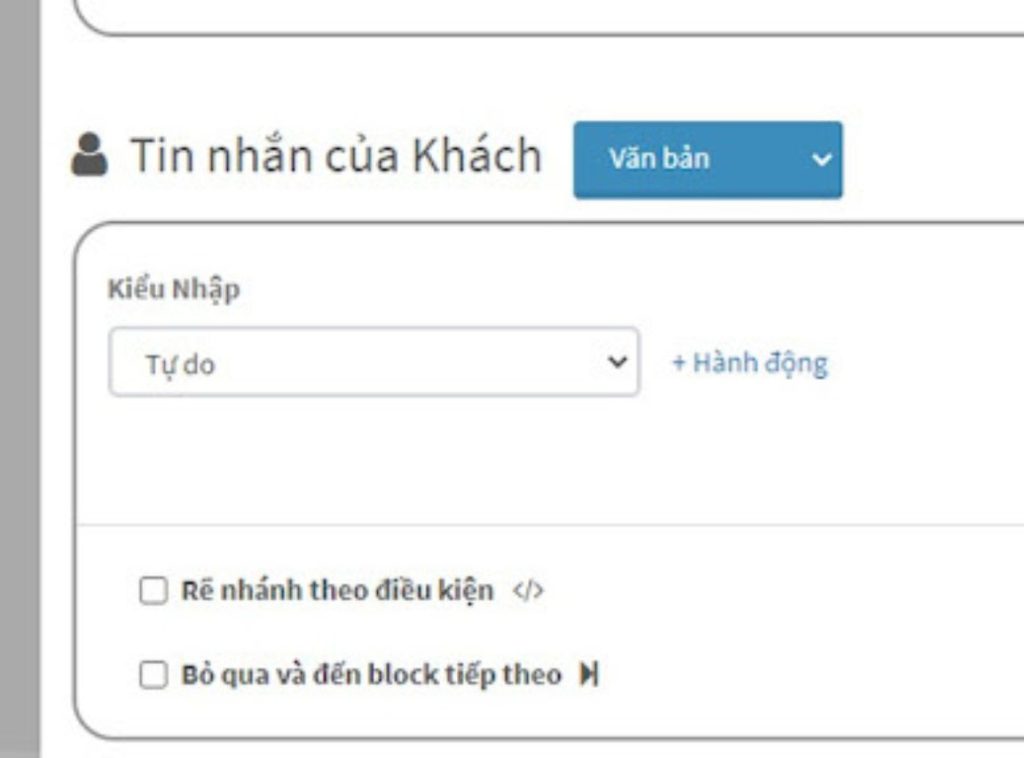
Set up the options
Step 13: Click Save changes when you have finished.
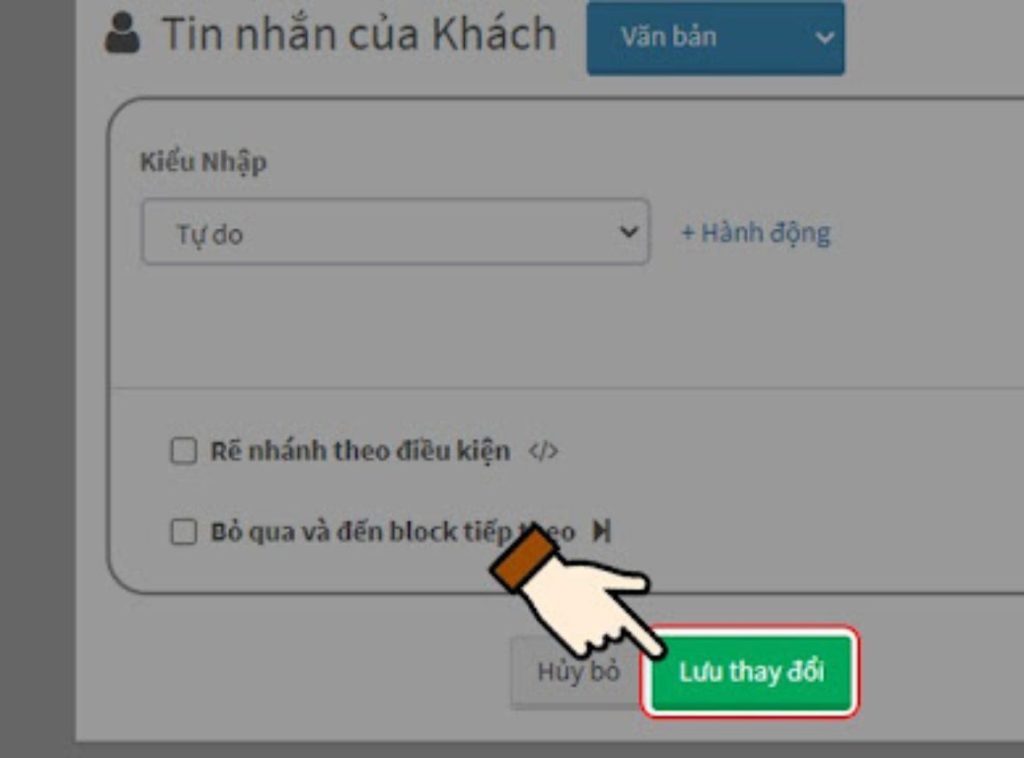
Save after completion
Step 14: Connect the automatic message frames in the order you set up earlier.
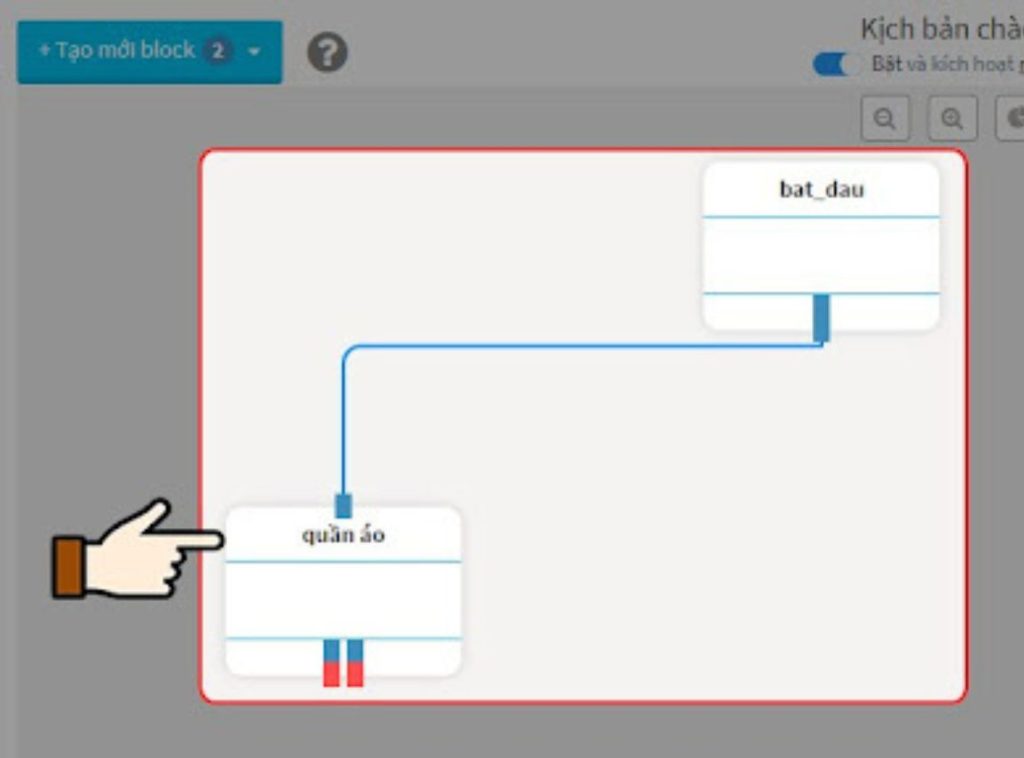
Connect the message boxes in the established sequence.
In conclusion,
With the above simple method for creating an automated Facebook fanpage chatbot, we hope to have shared some useful experiences with you when using Facebook, leading to better experiences. We wish you success!
VIHAT TECHNOLOGY Co., Ltd
Headquarters: ViHAT Building – 06 Street No. 16 (Him Lam Residential Area) – Hiep Binh Chanh Ward – Thu Duc District – Ho Chi Minh City
Hanoi Branch: Floor 15, LADECO Building, 266 Doi Can, Ba Dinh, Hanoi
Cambodia Branch: Thida Rath #154 St. 33MC, Sangkat Steung Meanchey, Khan Mean Chey, Phnom Penh

-
 What is TikTok advertising? Advertising policies and how it works.
-
 Exploring Conceptual Selling – Understanding Modern Sales Trends Correctly
-
 What is a KOC? Distinguishing between KOLs and KOCs.
-
 What Are Customer Insights? Revealing How to Effectively Uncover Them
-
 What is Digital Marketing? 10 Effective Forms of Digital Marketing
-
 What is Online Marketing? Types of Online Marketing