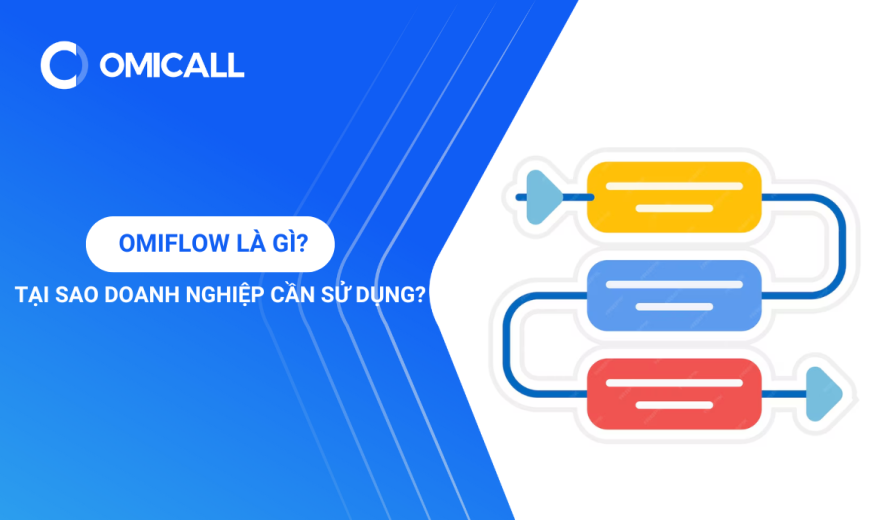
What Is OMIFlow – Why Does Your Business Need It?
Reading time: 8 minutes
What is OMIFlow? It is a powerful tool that helps businesses set up automated customer care workflows, optimize interactions, and manage customers effectively.
What is OMIFlow?
OMIFlow (formerly known as “Campaigns”) is a powerful tool designed to establish automated customer care workflows. It enables businesses to easily configure these workflows using modules within the OMI ecosystem—such as Customers, Tickets, Omnichannel, Marketing, and Forms—and to communicate with partners or third parties via APIs or direct integrations.
Creating workflows in OMIFlow is simple. Users can design their workflows by dragging and dropping nodes to define the process. These nodes—comprising conditions, actions, and delays—allow for the creation of highly customized, automated customer care experiences.
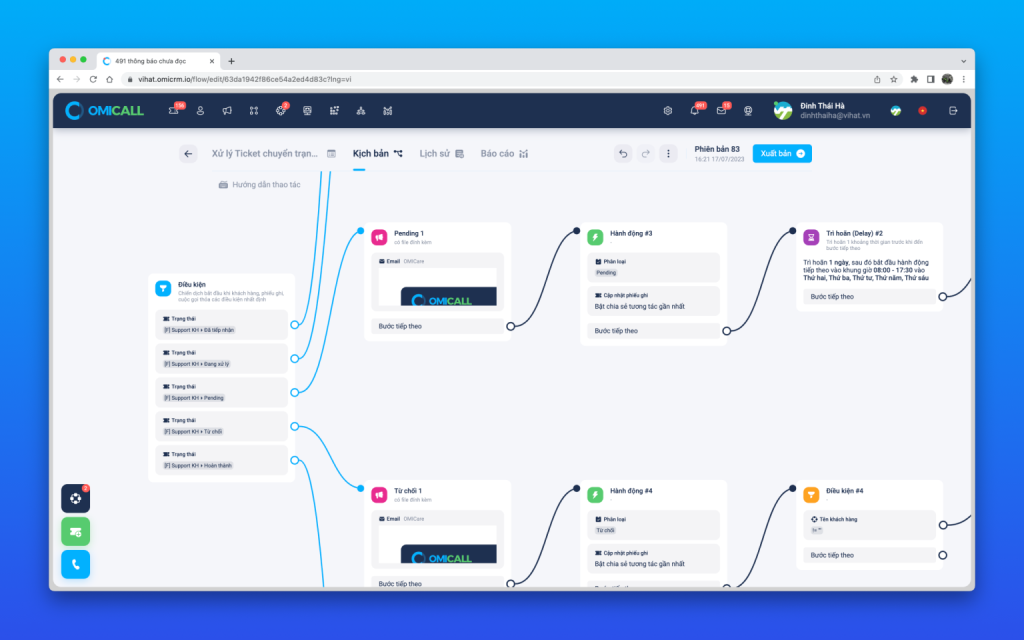
Scenario for handling ticket status changes
What are the key features of OMIFlow?
Key features of OMIFlow include:
Automated Configuration: Detailed setup of automated customer care scenarios using an intuitive drag-and-drop interface.
Integration: Easy integration with existing systems via APIs to enhance functionality.
Omnichannel Communication: Management of customer interactions across multiple channels within a unified platform.
Advanced Node Options: Use of various node types—such as conditions, actions, and delays—to create complex scenarios tailored to business needs.
Overall, OMIFlow helps businesses optimize customer care processes, improve efficiency, and boost customer satisfaction through advanced automation and seamless integration.
What are the trigger conditions for OMIFlow scenarios?
OMIFlow scenarios offer six trigger options to suit a wide range of use cases. Depending on specific requirements, users can select different trigger conditions to ensure the automation scenario is implemented effectively.
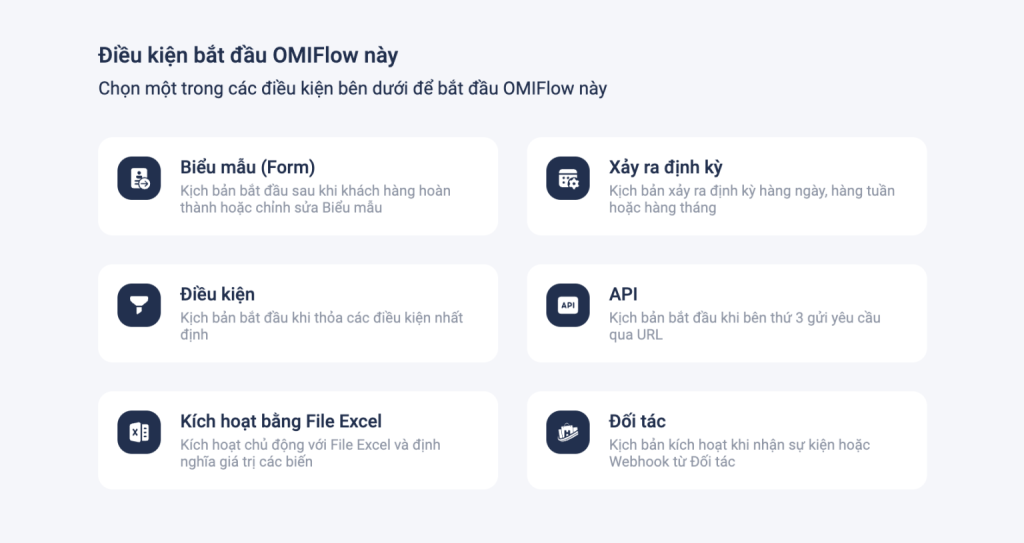
What is the trigger condition for OMIFlow?
Form
The scenario is triggered upon a new form submission. The scenario creator can use all the attributes submitted by the customer to:
- Directly compare values to accurately branch scenarios.
- Utilize these values via Linked Variables or Forms to meet various needs, such as adding customers to lists, creating notes, launching marketing campaigns, sending multi-channel messages, and analyzing or processing information.
The flexible use of customer attributes helps optimize automation workflows, enhance customer care efficiency, and manage information comprehensively and accurately.
Conditions
What are the conditions for triggering an OMIFlow scenario? It occurs when objects meet the specified attributes. There are two main types of trigger conditions:
Object attribute conditions
- These conditions evaluate attribute values of objects within the OMI system, including Customers, Tickets, Calls, AI-analyzed calls, and Omnichannel conversations.
- If this condition is used solely at the beginning of a scenario, the scenario will trigger only when an object’s attributes are updated or when a new object is added.
Extended Conditions
Extended conditions involve specific events. When this type of condition is combined with an object attribute condition, the scenario will trigger only when the event specified in the extended condition occurs.
The flexible use of these two types of conditions enables users to configure precise and efficient automation scenarios, ensuring they trigger at the right moment and comprehensively meet business needs.

Vietnam’s leading AI-powered multi-channel virtual call center
If using only object attribute conditions
Example: If the condition is a customer with the tag #VIPCustomer, the scenario will trigger when:
- A new customer is added to the system with the tag #VIPCustomer.
- An existing customer’s information is updated to include the tag #VIPCustomer.
When combining extended conditions with object attribute conditions:
Example: If you combine an object attribute condition with an extended condition—such as “Customer rates ZNS”—the scenario will trigger when the “Customer rates ZNS” event occurs. In this case, the object attribute condition serves merely as an additional condition.
API
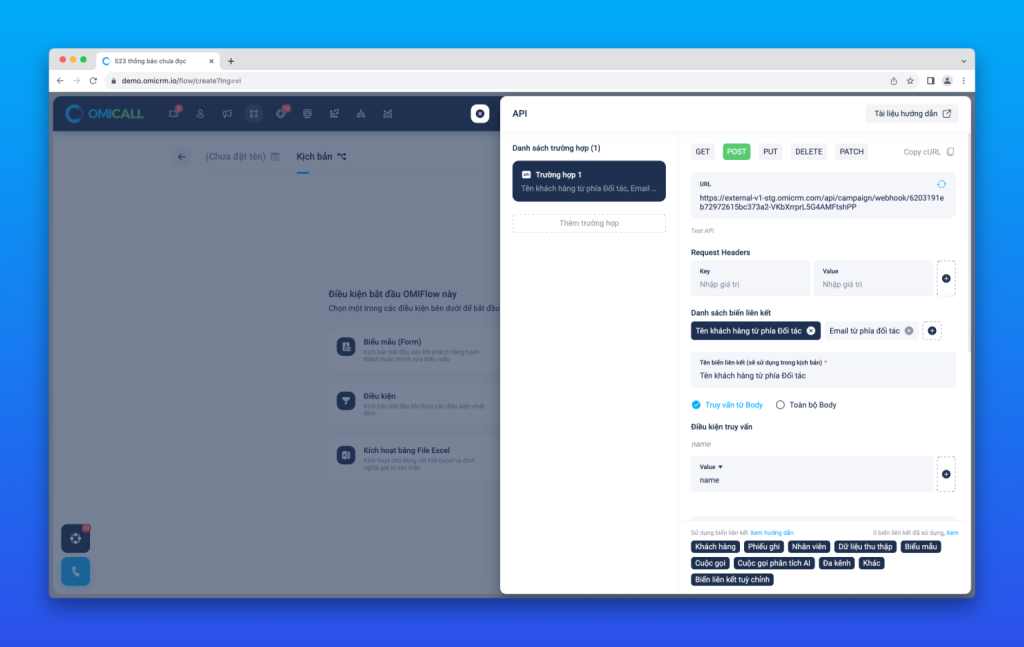
API
API-based Scenario Triggering
API scenario triggering allows third-party applications and partners to initiate scenarios and share data with OMI via HTTP protocols, utilizing methods such as GET, POST, PUT, DELETE, and PATCH.
When a third-party application or partner triggers a scenario, OMIFlow receives the data and maps it to pre-defined variables. This enables the system to execute subsequent actions quickly and efficiently.
This integration empowers businesses to expand automation capabilities, optimize processes, and enhance flexible interoperability with external systems.
Triggering via Excel File
To utilize mapped variables, first define them within an Excel file. Then, select this Excel file to trigger the scenario.
This method functions similarly to API-based triggering; it processes the Excel file upload event and maps the variables defined within the file.
Partners
To trigger scenarios, OMI supports receiving events from partners through two predefined methods:
OMIFlow-Linked Events
Applicable when the business account has been configured for integration with the partner.
Webhooks
- If the partner supports Webhooks, the business can choose to use this option without requiring a direct integration with the partner.
- This option functions similarly to an API-based trigger. The scenario creator does not need to declare binding variables; OMIFlow automatically maps predefined attributes (such as Order, Customer, Invoice, etc.) to the list of binding variables for use within the scenario.
This enables businesses to easily activate and manage automated workflows, enhancing interaction efficiency and integration with partner systems.
Workflow node types
What are the nodes in an OMIFlow workflow?
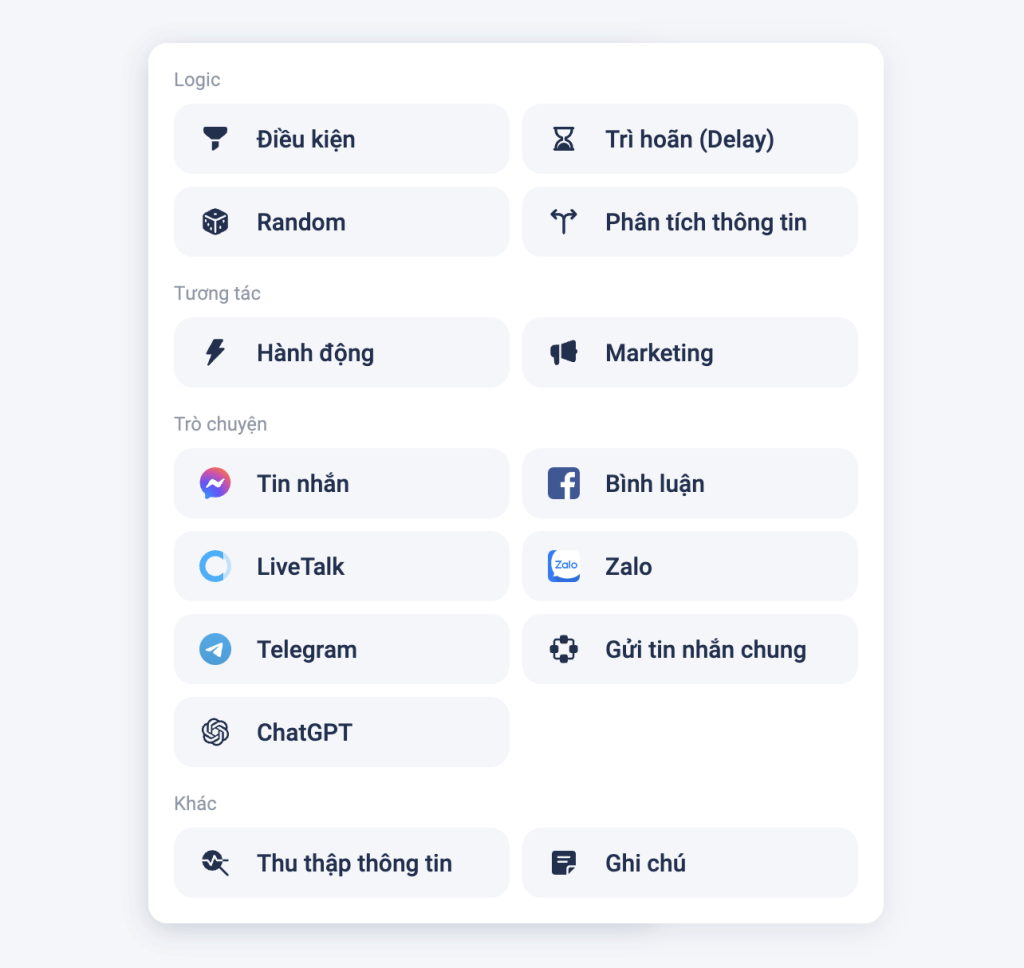
Types of nodes in the scenario
Condition node
Similar to a “Start Condition” node, this node allows the scenario to branch at necessary points. Users can combine multiple conditions based on attributes of various objects—such as customers, tickets, calls, conversations, or any linked variables. This enables the creation of flexible, precise scenarios tailored to the specific needs of each situation.
Delay node
The Delay node allows the scenario to pause for a specified duration or wait until a scheduled future time.
Random node
The Random node allows the scenario to branch according to specified ratios, enabling the creation of randomized paths based on desired probabilities.
Information Analysis node
The Information Analysis node allows the scenario to branch by using AI to analyze specific content—such as a customer message or the value of a variable (e.g., customer description or ticket notes).
When content is input, the system uses trained AI to analyze it based on desired topics or intents. Based on the analysis results, the scenario branches accordingly, ensuring accurate and effective responses.
Marketing node
Provides multi-channel customer communication tools, including SMS, Email, ZNS, automated calls, and CallBots. The Marketing node allows for sending content to the following audiences:
- Customers: Send information directly to customers.
- Customized information: Use dynamic variables to send personalized information.
- Employees and employee groups: Send content to individual employees, employee groups, or employees meeting specific criteria.
This enables businesses to easily manage and optimize marketing campaigns, ensuring that information is conveyed accurately and effectively.
Chat Node
The Chat Node allows for the easy setup of chatbot scripts across integrated channels using diverse message content. Beyond creating scripts based on keywords or interactive buttons, businesses can leverage AI to analyze customer responses, enabling flexible and precise script branching tailored to specific needs.
Data Collection Node
The Data Collection Node utilizes AI to extract essential information and save it to linked variables for use within the script. Configuration is simple: just provide the content to be analyzed and select the target Object/Entity (either pre-existing data or custom data trained by the business). The system analyzes the content, extracts the Object/Entity, and stores it in the linked variable.
Example: To extract the phone number from the text “My phone number is 08444419908,” simply select “Phone Number” as the Object/Entity and assign a name to the variable.
Linked Variables in Scripts
Across all script configuration nodes, users can customize content by substituting text with linked variable values. To learn more about the types of linked variables and how to use them, please refer to the two articles below.
Conclusion
In summary, what is OMIFlow? It is a customer care automation solution that helps businesses improve management efficiency and boost customer satisfaction.
For more information, please contact:
VIHAT TECHNOLOGY Co., Ltd
Headquarters: ViHAT Building – 06 Street No. 16 (Him Lam Residential Area) – Hiep Binh Chanh Ward – Thu Duc District – Ho Chi Minh City
Hanoi Branch: Floor 15, LADECO Building, 266 Doi Can, Ba Dinh, Hanoi
Cambodia Branch: Thida Rath #154 St. 33MC, Sangkat Steung Meanchey, Khan Mean Chey, Phnom Penh

-
 What is TikTok advertising? Advertising policies and how it works.
-
 Exploring Conceptual Selling – Understanding Modern Sales Trends Correctly
-
 What is a KOC? Distinguishing between KOLs and KOCs.
-
 What Are Customer Insights? Revealing How to Effectively Uncover Them
-
 What is Digital Marketing? 10 Effective Forms of Digital Marketing
-
 What is Online Marketing? Types of Online Marketing